
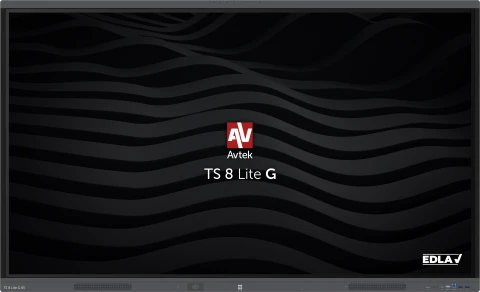

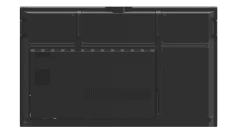
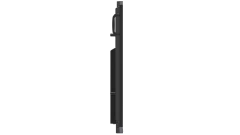
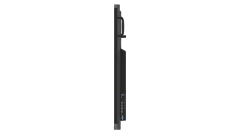

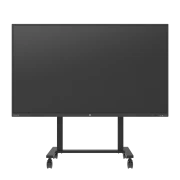
Interactive flat panel Avtek TS 8 Lite G 65
Basic attributes
- Series: Lite
- Display size: 65"
- System: Android 14 (Androida 16 update available)
- EDLA: Yes
- Brightness: 420 cd/m²
- Contrast: 6000:1
- RAM: 8GB
- ROM: 128GB
- Built-in speakers: 2 x 20W
The kit includes several products
(2 products)
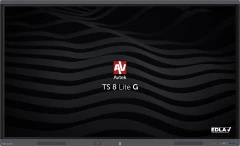
Avtek TS 8 Lite G 65 interactive monitor
1TV354
1 pcsAvtek DMS Annual License Activation Service
1TV439
1 pcsDescription
Capture attention, inspire with accuracy and drive your presentation to a completely innovative level with the Avtek TS 8 Lite G
| EDLA means full support for Google services. Users can count on seamless integration with Google tools, including the Play Store, making daily work much easier for teachers and students alike. |
|
 |
Android version 14.0 offers high-speed components and a high version of the operating system, which makes operating the monitor much smoother, and allows installing increasingly demanding applications. |
|
The ability to write in two colours at the same time - conduct a colourful presentation and capture the attention of students or colleagues with the included two-sided pens. |
 |
|
|
The multitude of available ports makes the monitor even more suitable for working in any environment and connecting more devices. |
|
The built-in WiFi/Bluetooth module allows for convenient, quick connection to available networks and instant Bluetooth activation for file transfer or wireless connection of devices like speakers or headphones. |
 |
|
|
Accurate touch control - Zero Bonding technology makes using the monitor even more natural. With minimal space between the display and the protective glass, the electronic ink appears just below the pen, with parallax minimised. This improves the writing experience, making the most frequently used functions of the interactive monitor, note-taking, writing or drawing, more enjoyable and intuitive. |
|
The built-in wireless image transfer application allows you to connect to 8 computers or mobile devices at once and display up to four images simultaneously. Wireless image, audio and touch transfer allows for even more convenient collaboration and eliminates the need to connect each computer directly to the monitor. |
|
|
|
Over-the-Air (OTA) updates to the monitor's software ensure that it will always receive the latest features and applications introduced over time. Users can easily install updates themselves when they become available, so they won't miss future changes. |
|
The TS 8 monitors are ready to support 4K/UHD resolution. An advanced panel with 3840 x 2160 resolution and a 60Hz refresh rate is responsible for displaying the image. |
|
|
|
Thanks to the unique solution of shared USB ports on the front of the monitor, once connected, a USB flash drive will be available on both Android and the built-in OPS computer without the need to translate between ports. |
|
The annotation tool allows you to annotate any image or use the monitor like an interactive whiteboard. The tool also allows the use of a stopwatch, timer, spotlight and voting system. |
|
|
|
The voting tool called from a handy shortcut bar available on each source allows you to ask any question, collect answers and summarise them quickly. And that's regardless of whether the display is a presentation, an Android browser or an image from an external source like a laptop. |
|
Monitor locking features are a dedicated solution for school environments and work well in crowded places. USB Disk Lock allows you to lock the monitor and unlock it only after connecting a key (USB flash drive) with the appropriate unlock file. With the application for locking the monitor, we will secure it similarly to a code phone. Both solutions protect the equipment and the data available on it from unwanted use. |
|


|
|
Avtek TouchScreen monitors come with Note interactive software for Windows, which allows you to both prepare a lesson and handle a business presentation. Note supports the same file format as the Android whiteboard app, so the same file can be started editing on the monitor and then finished in the Note app on Windows. |
|
In addition to the Note software, two more programs are included with the monitor: Connect and Capture. The first is for communication between a mobile device and a PC, and allows, among other things, for round-trip image transfer and presentation control. This makes remote control of the monitor from a PC simple and intuitive. |
 |
 |
Capture is a useful tool for recording and editing presentations or lectures. It allows you to record your Windows desktop and video from a connected camera (or both simultaneously). Capture also offers quick editing of the footage, which in the form of a single video file can be saved, sent to the cloud or published to services such as YouTube. |
|
Interactive monitors are ideal for scenarios with varying requirements, so OPS computers are available in several variants. In education and for basic applications, the economical i3 will be ideal. For more advanced applications, there are i5 versions, and for the most professional applications, the extremely powerful Intel i7. |
|
 |
Avtek interactive monitors are designed for 24/7 operation. They provide uninterrupted operation around the clock, offering exceptional durability and reliability. |


ATTENTION: AVTEK TS 8 LITE G MONITORS ARE NOT DESIGNED FOR HORIZONTAL OPERATION (INTERACTIVE TABLE MODE).
Specification
Series
Lite
Display size
65"
System
Android 14 (Androida 16 update available)
EDLA
Yes
Panel
VA
Aspect Ratio
16:9
Panel resolution
4K/UHD (3840×2160) @60 Hz
Viewing Angle
178° °
Brightness
420 cd/m²
Contrast
6000:1
Colors displayed
1.07 Billion
Response time
6,5 ms ms
RAM
8GB
ROM
128GB
Working time
24/7
Panel Lifespan
≥ 50 000 godzin
Built-in speakers
2 x 20W
Built-in microphone
YES
Warranty
5 lat (2 lata one to one)
Touch technology
Infrared
Touch response time
≤2.5 ms
How to use
Palec lub dowolny inny przedmiot
Touch resolution
32768 × 32768
Number of touch points
32 for Android
50 for Windows
Video Outputs
HDMI
Video inputs
Display Port
3 x HDMI
VGA (from one of the inputs)
Audio inputs
mini jack 3.5 mm
Communication ports
2 x USB Touch
USB 2.0
4 x USB 3.0
2 x USB (C)
2 x RJ-45
RS232
Audio outputs
mini jack 3.5 mm
SPDIF
Additional functions
Google Play
Android OS
OSD touch menu
OPS slot
USB Media Player
Wi-Fi communication
Annotation on any source
Voting tool
Application for making notes
Disable touch support
Switching off the display
Light sensor
Bluetooth communication
Windows software compatible with the note-taking app
Upload your own logo
Display text comments on the screen by participants
Change of signal source name
NFC
VESA
600 x 400 mm
Monitor size
1488 × 908 × 86 mm
Package dimensions
1628 × 1014 × 185 mm
Weight
34.75 kg
Gross weight
41.55 kg
Accessories in box
Power cable (3 m)
Quick start guide
USB cable
Markers (2 pcs.)
HDMI cable (3 m)
Wall mounting bracket
WiFi/Bluetooth module
Optional accessories
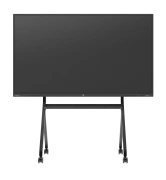
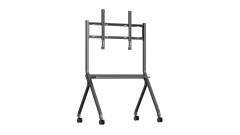
mobile stand
Compatible products
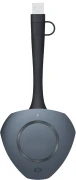
Accessories
Downloads

Copyright VIDIS SA.
Project and realization: moonbite.pl